
Are you curious why some screens look more vibrant and lifelike than others? It often comes down to a technology called High Dynamic Range, or HDR. This breakthrough makes your movies, games, and photos pop with amazing brightness, deeper blacks, and richer colors. But what exactly is HDR, and why does it matter for your display quality?
Let’s break it down in simple terms so you can understand why HDR is transforming how we see digital content.
What is HDR?
High Dynamic Range (HDR) is a technology that improves the contrast and color range of displays. Unlike Standard Dynamic Range (SDR) screens, which can only show a limited range of brightness and colors, HDR displays show a wider spectrum — from the brightest highlights to the darkest shadows — and more accurate colors in between.
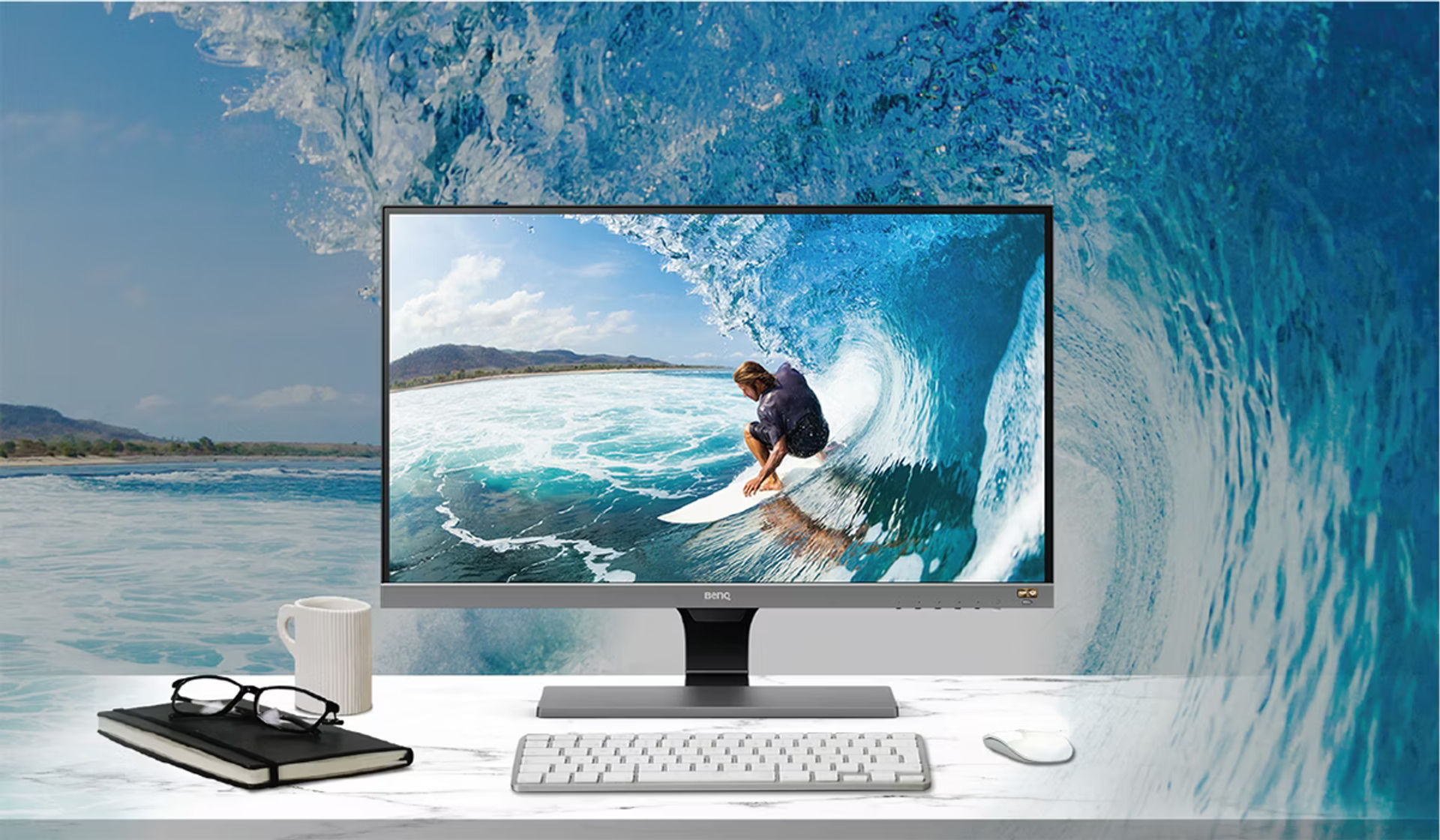
Think of it as giving your screen a much bigger palette and more depth.
How HDR Works: The Science Behind the Magic
So, how does HDR work its magic? It all starts with dynamic range, which is the difference between the brightest and darkest parts of an image. HDR increases this range, letting you see details in bright areas (like sunlight reflections) and dark areas (like shadows) that SDR screens can’t display well.
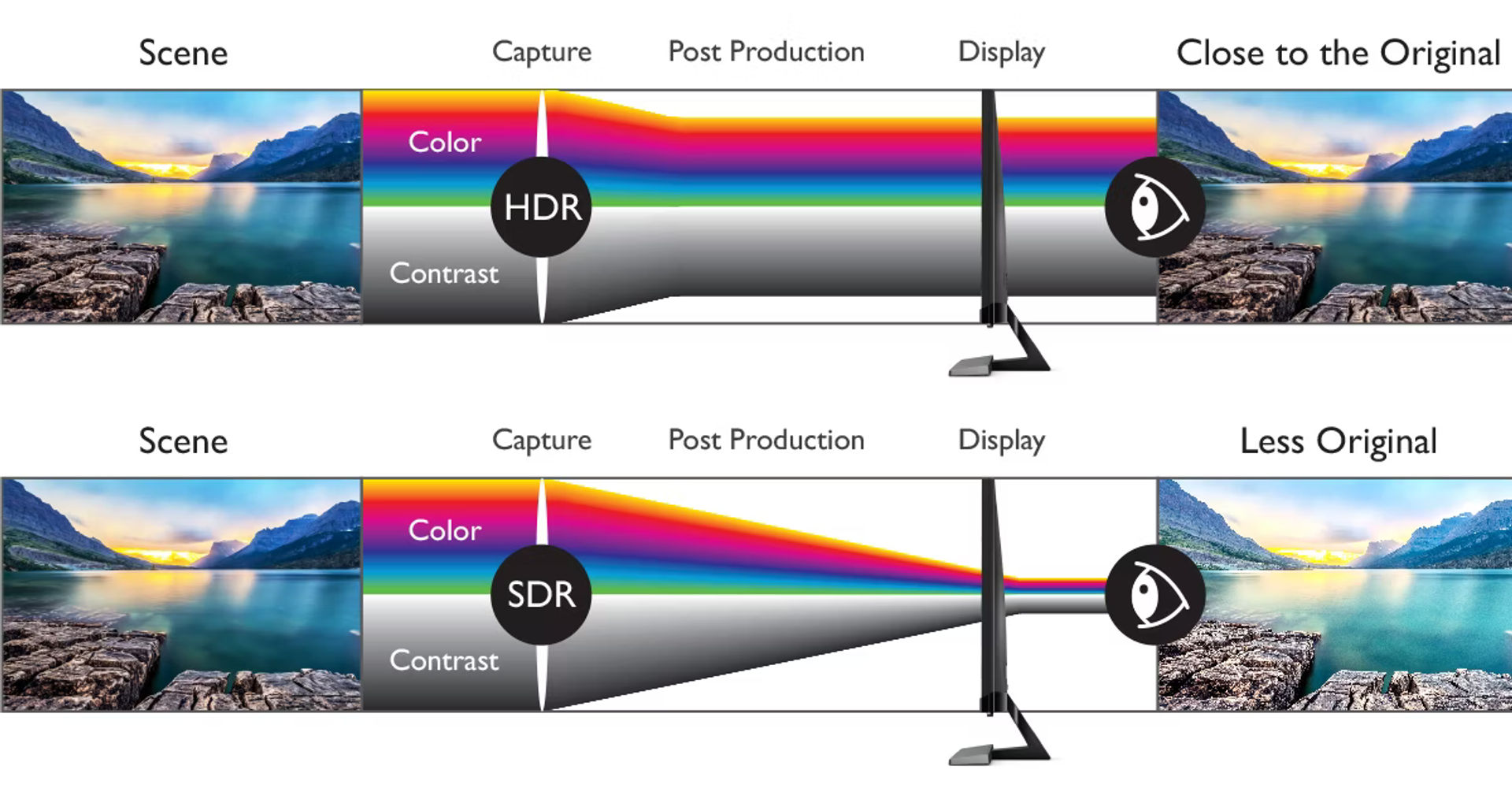
Another key factor is bit depth, which measures how many color shades a display can show. Most SDR content uses 8-bit color (256 shades per channel), whereas HDR content often uses 10-bit or more (over 1 billion shades total). This gives smoother color gradients and reduces banding (those annoying color stripes you sometimes see).
In other words, HDR combines higher brightness peaks, deeper blacks, and richer colors to create images that look closer to real life.
The Benefits of HDR in Display Quality
HDR technology delivers several visible improvements:
-
Deeper blacks and brighter whites: Allows images to have more contrast, making scenes more dramatic and clear.
-
More vivid and lifelike colors: Displays can show a wider color gamut with richer and more saturated hues.
-
Better detail in shadows and highlights: You won’t lose details in too-dark or too-bright parts of an image.
Popular HDR Standards You Should Know
HDR comes in different flavors, each with standards and specs to ensure quality:
-
HDR10: The most common open standard, supported by many TVs and devices.
-
Dolby Vision: A premium HDR format with dynamic metadata and higher peak brightness.
-
HDR10+: An enhanced HDR10 with dynamic tone mapping like Dolby Vision but royalty-free.

Each standard aims to optimize brightness and color on compatible devices for the best viewing experience.
What Do You Need to Enjoy HDR?
To see HDR in action, you need:
-
An HDR-capable display (TV, monitor, or smartphone)
-
HDR-compatible content (movies, games, or streaming services like Netflix and Disney+)
-
A compatible connection like HDMI 2.0 or DisplayPort that supports HDR signals. For 4K HDR at 120 Hz and above, you need HDMI 2.1 or DisplayPort 1.4. See our cable guide by resolution and refresh rate.
How HDR Enhances Your Viewing Experience
HDR can dramatically improve your experience with visuals:
-
Movies and TV shows gain cinematic depth and realism.
-
Video games show more vibrant worlds with detailed shadows and lighting.
-
Photography and artwork are closer to their creator's intended colors.
The difference is especially noticeable on screens with higher peak brightness and good color accuracy.
Limitations and Things to Consider
Not all HDR displays are created equal. Some budget screens claim HDR support but have limited brightness or color range, providing a less impressive effect.
Also, HDR content availability is growing but not universal, so for some media, you may still see standard quality.
Conclusion
HDR technology marks a major leap in display quality by enabling richer colors, enhanced contrast, and finer details. Whether streaming the latest blockbuster or gaming your favorite title, HDR makes images more immersive and true to life.
If upgrading your display, consider HDR support to future-proof your viewing experience. Pair with choosing the right resolution, refresh rate for gaming, safe screen cleaning by panel type, screen cleaning tools by use case, and brightest phone displays for mobile HDR.
Related Articles
Continue reading with these related posts
How to Change Screen Resolution on Chromebook (Easy Guide)
Learn how to change screen resolution on your Chromebook with this simple step by step guide. Discover quick shortcuts, display settings, and tips to fix blurry or oversized screens for the best viewing experience in 2025.
What Is My Monitor Size? Check It Online or Measure the Diagonal
Your monitor size is the diagonal in inches, not the pixel count. Use our free Monitor Size Checker for an instant estimate, or measure corner to corner with a tape.
How Screen Resolution Impacts SEO and User Engagement
Discover how screen resolution affects SEO rankings and user engagement. Learn key tips to optimize your site for all devices and boost performance.